
Windows · free · runs locally
Every application,
written down.
I built Shofona to run my LinkedIn Easy Apply queue inside the daily limit, then write a Word document of what it submitted, what it skipped and what it couldn’t answer. It runs on your PC.
73 MBWindows 10/11 x64v0.1.0MIT licence
Run report · DOCX
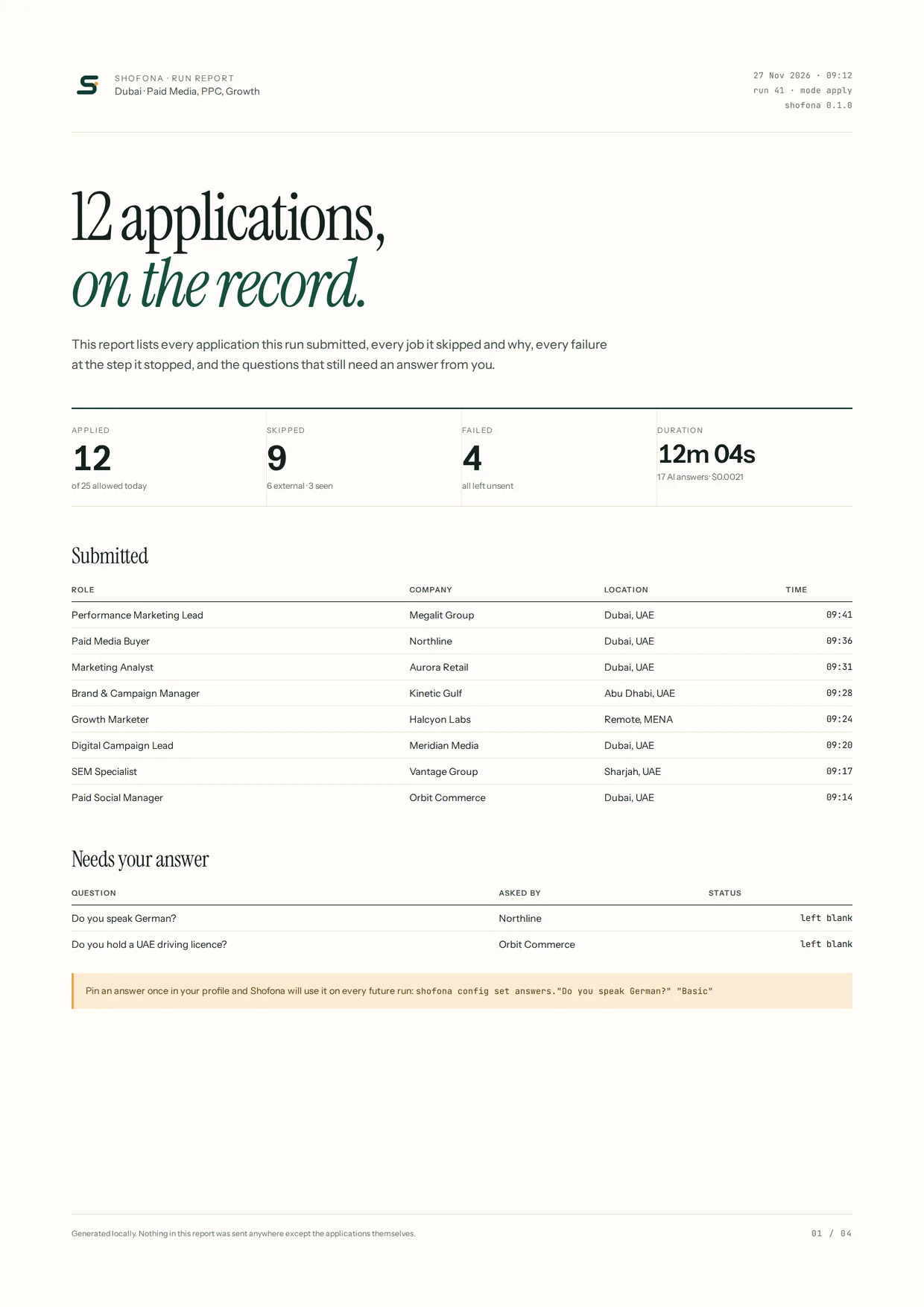
Written after every run, including the ones that fail.
01 · The run
Six steps,
then a document.
Each step ends with an application, a reason to skip, or a line in the report. There is no hidden state to take on trust.
01
Discover
LinkedIn’s own search, narrowed to your market and the titles you name. No scraped database and no third-party feed.
jobs queued for review
02
Filter
Jobs you have already seen, external applications and titles on your reject list are dropped before anything opens.
queue cut to Easy Apply
03
Fill
Every field is read from its visible label, aria attributes and placeholder rather than a CSS class, so a form that changed last week still fills.
form ready to submit
04
Answer
Your saved rules answer first. A model sees only the leftovers, on your key, inside the cap you set. Anything uncertain stays blank.
answered, or flagged blank
05
Stop
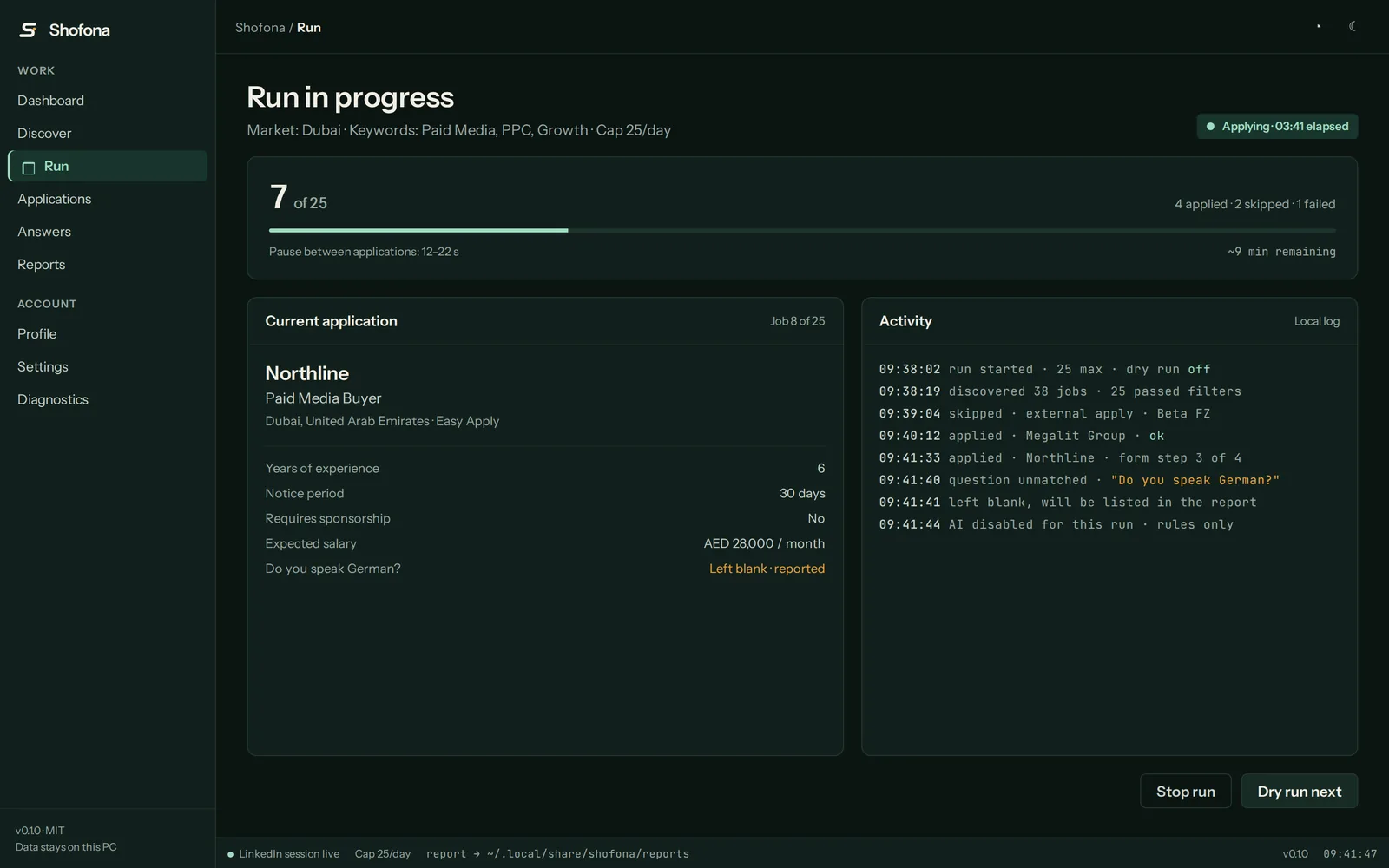
25 applications a day by default, 12 to 22 seconds apart, and the run ends the moment LinkedIn signals a quota.
run closed, not retried
06
Write
The DOCX lists what went through with links, what was skipped and why, where a failure happened, and what is still open.
report on disk
02 · Limits
Where the
app stops.
Volume is what gets accounts restricted. These numbers are defaults you can lower and ceilings you cannot raise.
Run monitor7 of 25 · 00:41:12
03 · Data
Everything stays
on your PC.
There’s no Shofona account and no server holding your profile. The app opens a Chromium window, you sign in, and the session file stays on your disk.
No password custody
The LinkedIn session lives in a local Chromium profile. Shofona never stores your credentials.
Files on your disk
SQLite for run history, one folder per report. Back it up, inspect it, delete it.
Disclosed telemetry
Crash and usage events go to Sentry and PostHog. The exact fields are written out in full.
%APPDATA%\com.shofona.desktop\
├── shofona.db              # runs, applications, answers
├── reports\
│   ├── shofona-2026-11-27-0842.docx   # the report
│   ├── shofona-2026-11-27-0842.json
│   └── shofona-2026-11-27-0842.csv
├── runs\                  # one JSON per run
├── logs\
└── profiles\linkedin\     # your session
Taken from the Windows build. Paths are inside your own user account.
Read this before you install
Automating Easy Apply very likely violates LinkedIn's User Agreement, and accounts can be restricted or closed. Shofona is deliberately conservative: caps, pauses, a dry run that cannot submit. No tool can promise your account is safe. If that risk isn't acceptable, don't install it.
Free · Windows 10/11 · v0.1.0
Start with a dry run.
Nothing is submitted.
73 MB installerSHA-256 publishedNo accountMIT licence
